> ## Documentation Index
> Fetch the complete documentation index at: https://unkey.com/docs/llms.txt
> Use this file to discover all available pages before exploring further.
# Settings
> Configure your Unkey workspace name, manage team members, rotate root keys, and update billing settings from the workspace dashboard.
Navigate to **Settings** in the sidebar to manage your workspace. Settings are grouped into tabs: General, Team, Root Keys, and Billing.
## General
 ### Workspace name
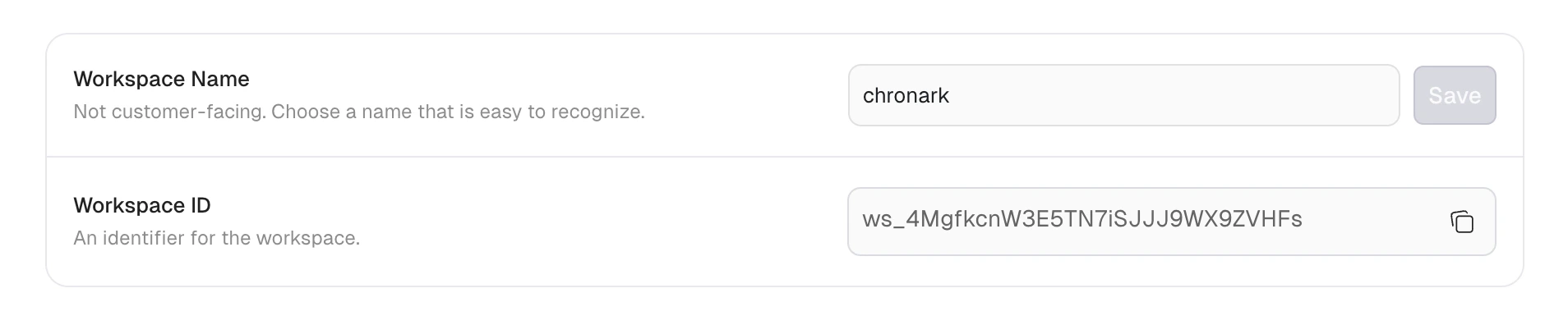
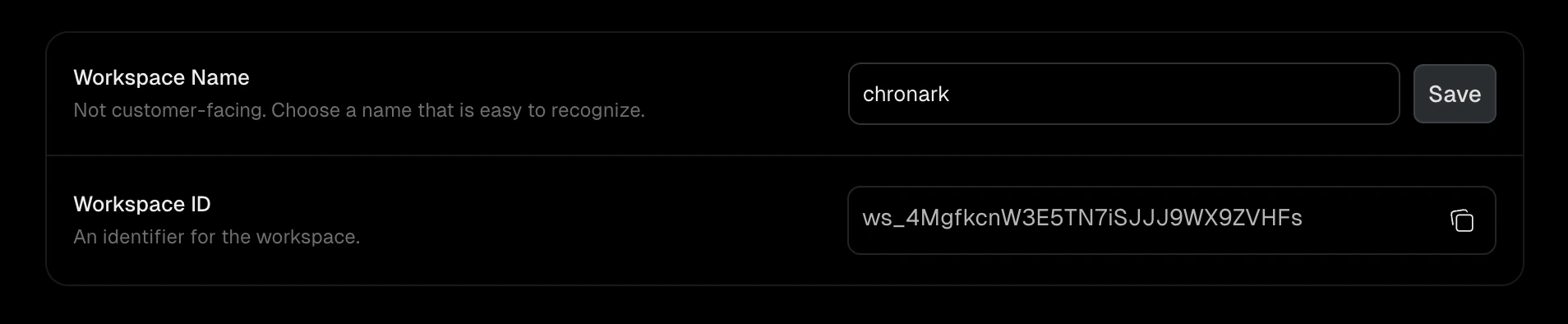
The display name for your workspace (3 to 50 characters). This is not customer-facing. It helps you and your team identify the workspace in the dashboard.
1. Navigate to **Settings > General**.
2. Enter a new name in the **Workspace Name** field.
3. Click **Save**.
### Workspace ID
A read-only, system-generated identifier for your workspace (for example, `ws_abc123`). Click the copy button to copy it to your clipboard. You need this ID when calling the Unkey API.
## Team
Manage who has access to your workspace and what they can do. See [Team members](/platform/workspaces/team-members) for details on roles, invitations, and member management.
Team members require a paid plan. [Upgrade your plan](/platform/workspaces/billing#upgrade-your-plan) to access this tab.
## Root keys
Manage root keys for programmatic access to the Unkey API. See [Root keys](/platform/root-keys/overview) for details on creating keys, permissions, and best practices.
## Billing
Manage your subscription, payment methods, and invoices. See [Billing](/platform/workspaces/billing) for details on plans, upgrades, and the billing portal.
### Workspace name
The display name for your workspace (3 to 50 characters). This is not customer-facing. It helps you and your team identify the workspace in the dashboard.
1. Navigate to **Settings > General**.
2. Enter a new name in the **Workspace Name** field.
3. Click **Save**.
### Workspace ID
A read-only, system-generated identifier for your workspace (for example, `ws_abc123`). Click the copy button to copy it to your clipboard. You need this ID when calling the Unkey API.
## Team
Manage who has access to your workspace and what they can do. See [Team members](/platform/workspaces/team-members) for details on roles, invitations, and member management.
Team members require a paid plan. [Upgrade your plan](/platform/workspaces/billing#upgrade-your-plan) to access this tab.
## Root keys
Manage root keys for programmatic access to the Unkey API. See [Root keys](/platform/root-keys/overview) for details on creating keys, permissions, and best practices.
## Billing
Manage your subscription, payment methods, and invoices. See [Billing](/platform/workspaces/billing) for details on plans, upgrades, and the billing portal.