Semantic caching for LLM apps
Semantic caching reuses a stored LLM answer when a new prompt means the same thing, so you pay for fewer model calls.

Large language model workflows often make several model calls: retrieval, generation, and retries. Each call adds latency and a charge. Semantic caching reuses a stored answer when a new prompt means the same thing, so those repeat calls can be skipped.
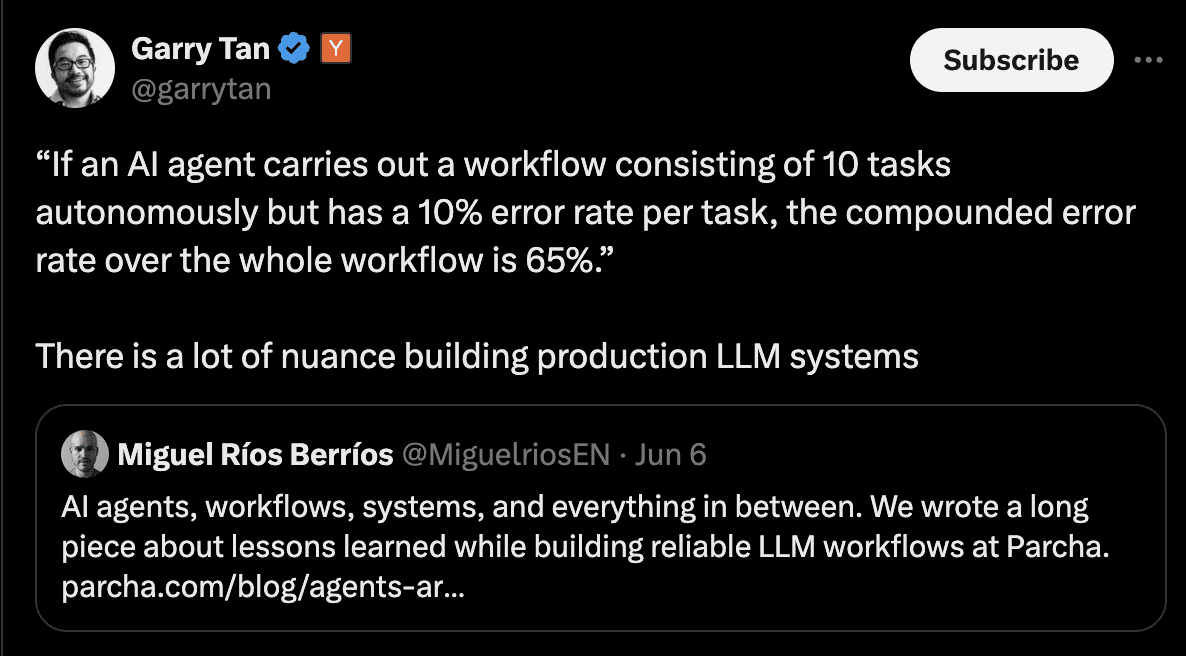
Complex workflows still have their own challenges. A chain of steps can fail even when each step usually succeeds.
Since these workflows often involve multiple steps and retries, taking measures to reduce cost and latency remains helpful. One way to do so is via semantic caching.
Example use case: RAG
Say that you want to build a RAG (retrieval-augmented generation) chatbot for customer support. It can respond to user queries and suggest articles from your support center.
This workflow would involve multiple API calls:
- Generate embedding of user query
- Search vector DB for relevant embeddings and append to prompt
- Query LLM API with enhanced prompt
Through caching, you could avoid doing this work except for when users ask questions that haven't been asked before - otherwise, re-use existing work.
Caching
A simple caching solution would be to cache results using the user query as the key, and the result of the workflow as the value.
This would enable re-use of responses between identical queries. But it would rely on user queries being phrased identically.
For instance, if two users asked "How do I cancel my subscription" then the second would be served the cached response. But if another user was to ask "I need to cancel my subscription - how?" then we'd see a cache miss. The question is the same in terms of its intent, but the phrasing is different.
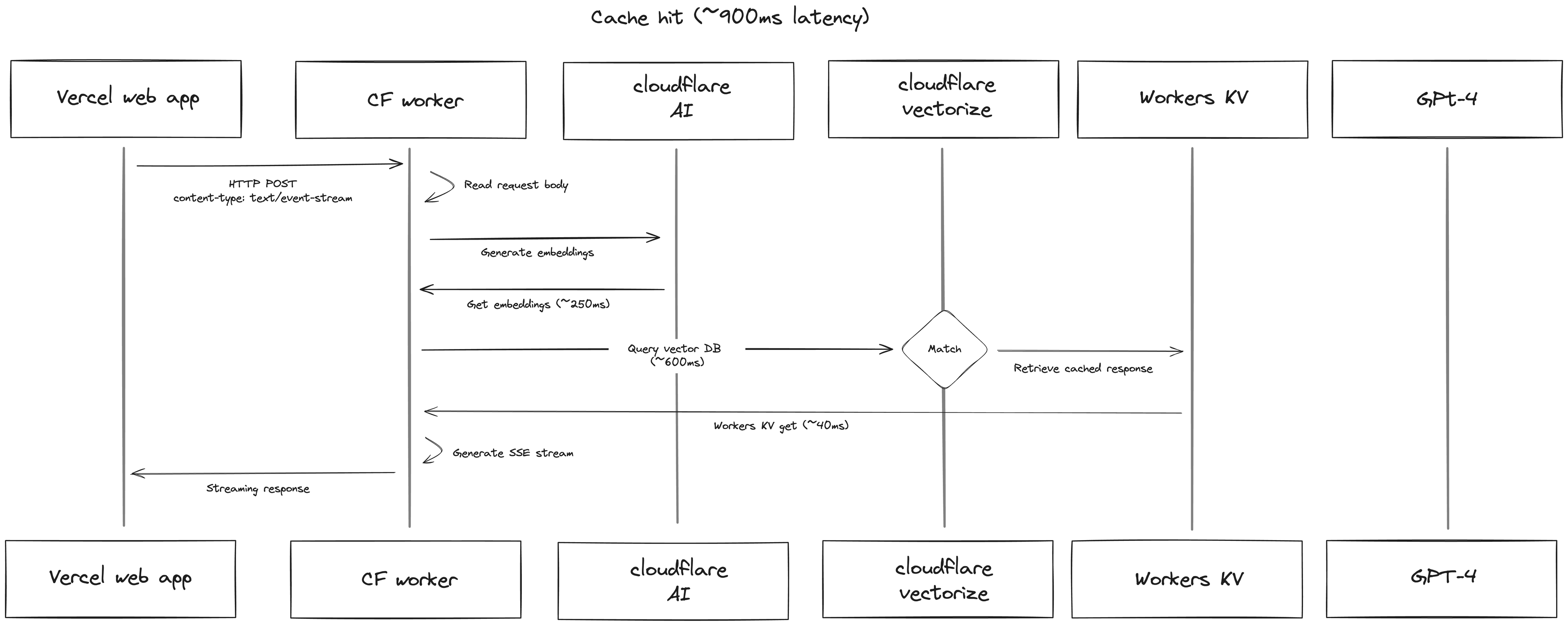
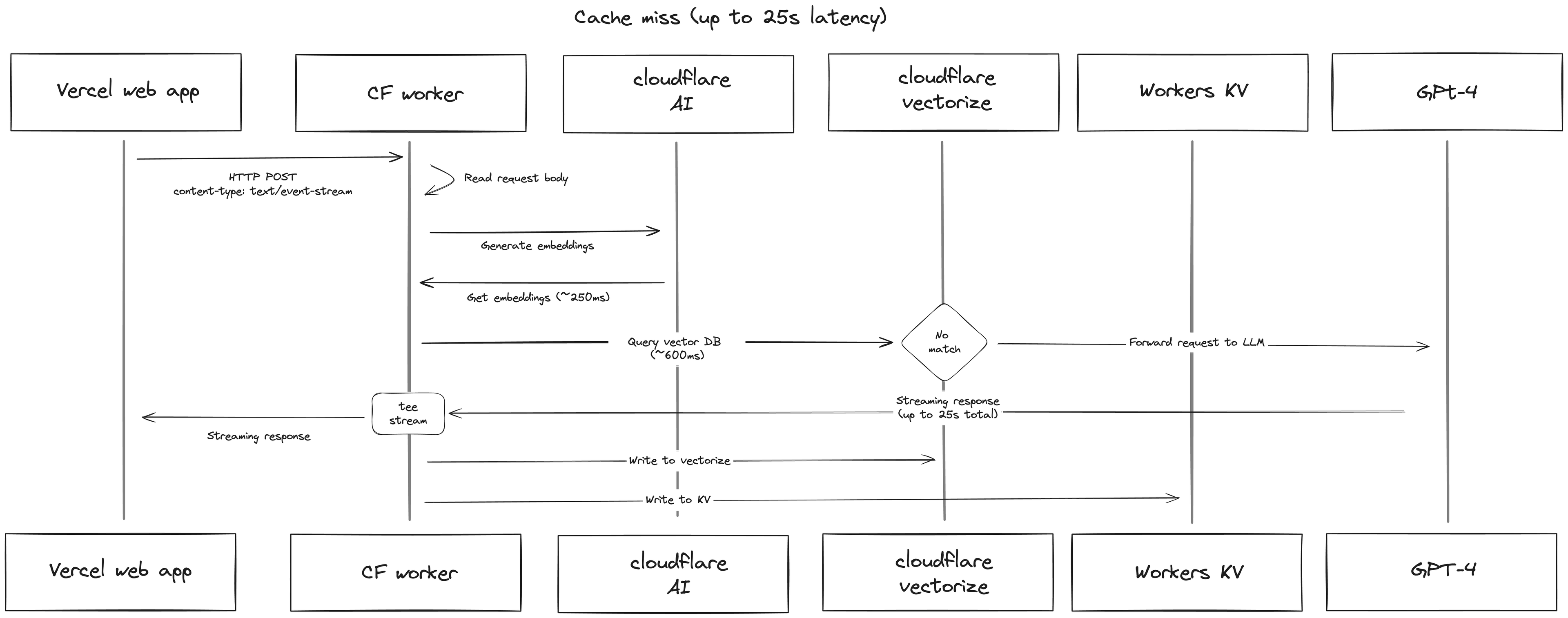
This is how semantic caching can be useful: through caching based on the embedding of the query, we can ensure that all users who ask the same question receive a cache hit. The below diagrams give an overview of the architecture:
Choosing a similarity threshold
A semantic cache compares the embedding of a new prompt with embeddings already stored. The usual score is cosine similarity. It measures the angle between two vectors: 1 means they point the same way, and lower values mean they differ. Some systems store the same comparison as a distance, such as cosine distance or Euclidean distance, where a smaller number means a closer match.
The threshold is the cutoff you treat as the same meaning. Start conservative. For cosine similarity, that means requiring a high score before you return a cached answer. A strict cutoff produces more cache misses and fewer false hits. A miss spends another model call. A false hit returns an answer that does not fit the new prompt.
Measure both on prompts from the product you are caching. Count false hits, where the cached answer does not match the new intent, and misses, where a prompt should have reused an answer but did not. Move the threshold only as far as those counts support.
Tune the cutoff for each use case. A support bot with a stable set of questions can reuse answers more often. A flow where a wrong answer is costly, such as billing or account changes, should stay stricter. No single threshold fits every app, and a cutoff that works for one embedding model can shift when you change models.
Try it now
In response to feedback from our AI customers, we're offering semantic caching now as part of Unkey. You can enable it now through signing up and changing the baseUrl parameter of the OpenAI SDK:
Unkey's semantic caching is free, supports streaming, and comes with built-in observability and analytics. In future we will offer deeper integration with Unkey's API keys for enhanced security and performance.
If you'd like to read more about how it works, check out our documentation.