

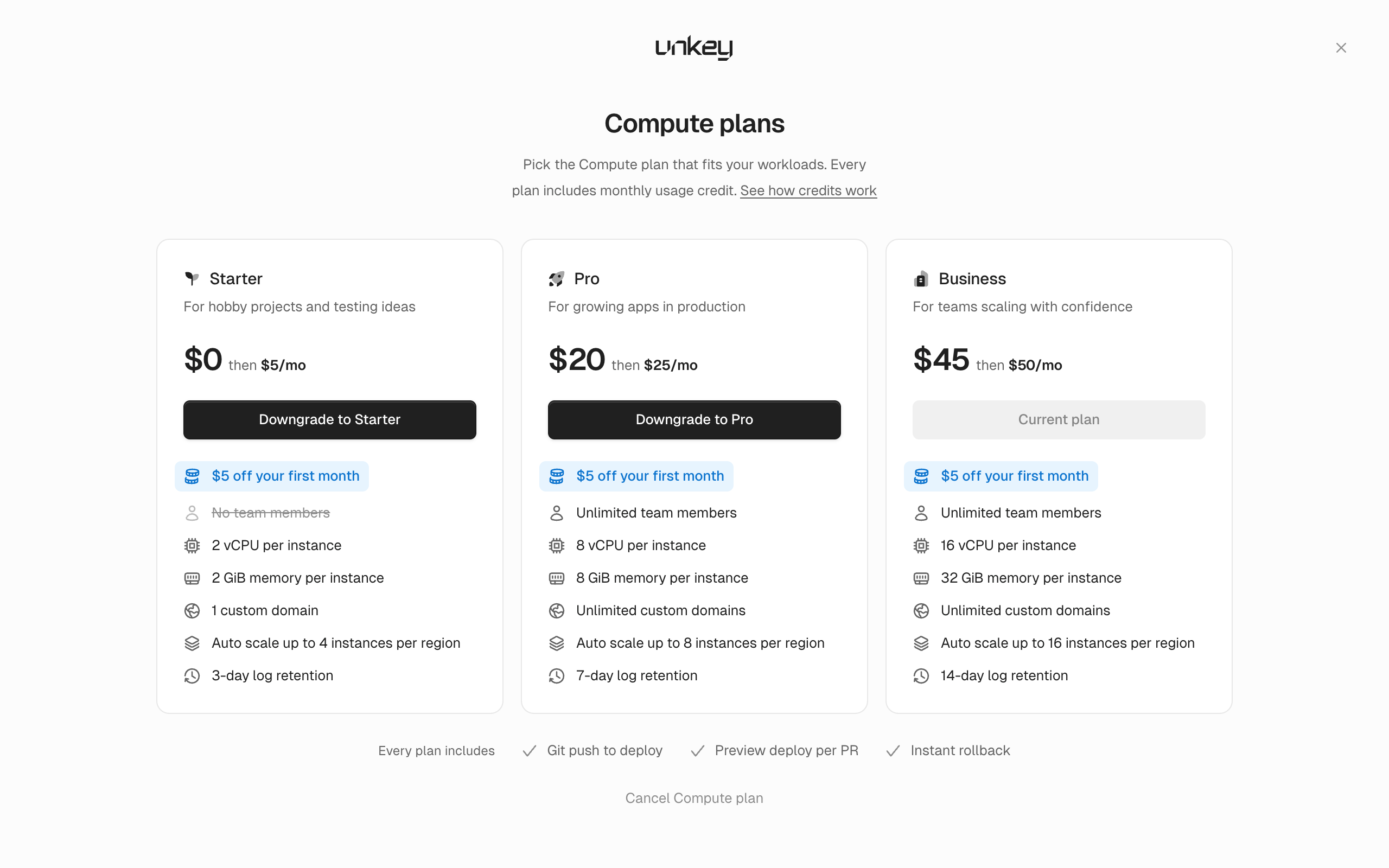
- Starter ($0 for the first month, then $5 a month)
- Pro ($20 for the first month, then $25 a month)
- Business ($45 for the first month, then $50 a month)
What each product includes
Paid API tiers, and the CPU, memory, disk, replica, and domain limits on each Compute plan, are on Limits. Prices are on unkey.com/pricing.
Your workspace pays for the two products separately. API Management has a tier and Compute has a plan, and you can have either one without the other. Both use one payment method and one set of invoices.
Manage both under Settings > Billing. Only admins can change plans or payment details. Everyone else sees the controls disabled with “Admin access required to manage billing”.
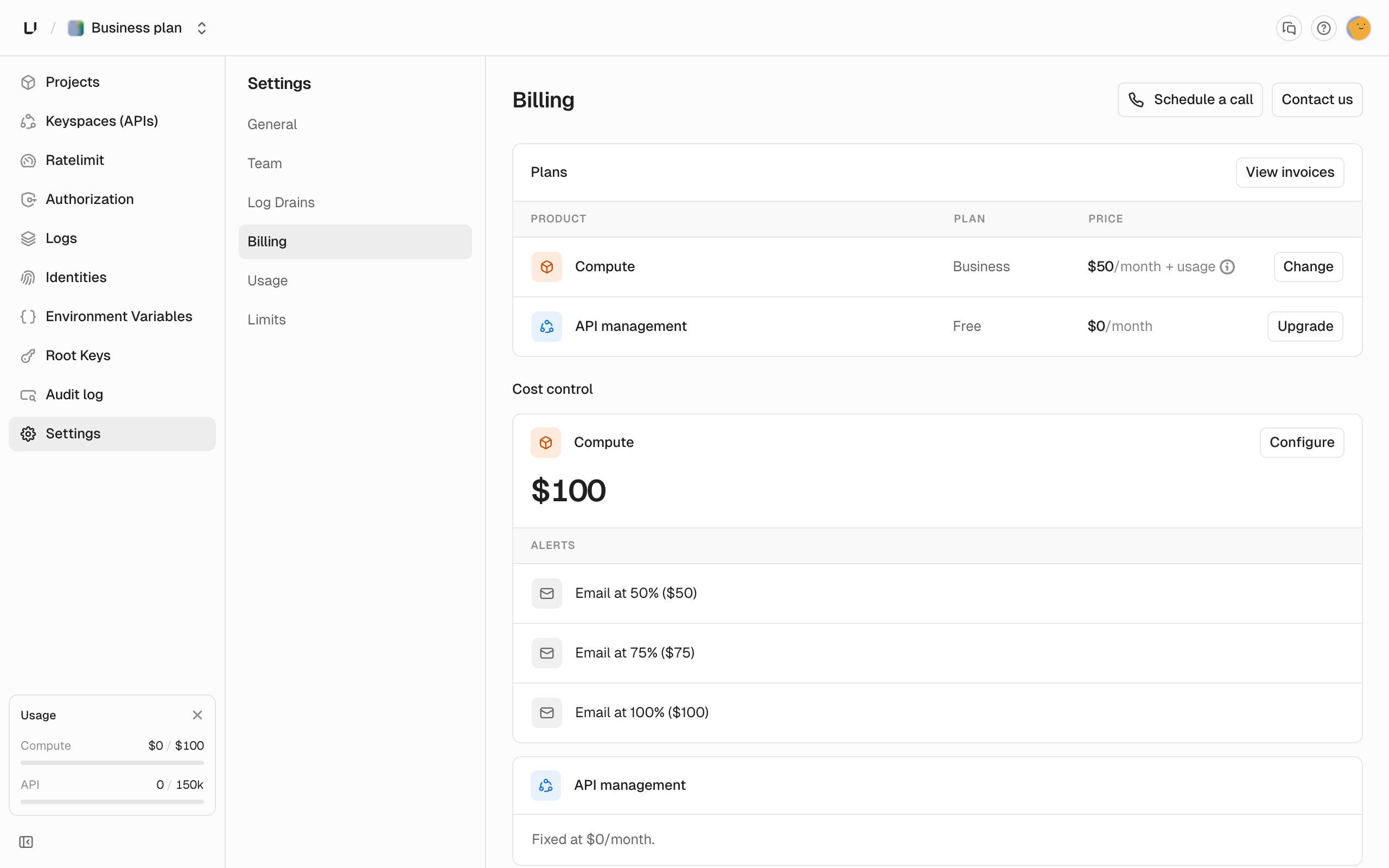
API Management tier
Every workspace starts on the Free tier: 150,000 billable operations per month, 1,000 API keys, 1 day of request log retention, and 3 days of audit log retention. Billable operations are key verifications and rate limit operations. See Usage for what counts. A paid tier raises the monthly quota and both retention periods, and includes team members. Each tier’s numbers are on Limits and unkey.com/pricing, and the billing page shows them when you choose.Compute plan
You need a Compute plan before you can deploy an . There are three:- Starter for hobby projects and testing ideas.
- Pro for growing apps in production.
- Business for teams scaling up.
Add a payment method
You need a card on file before you can upgrade. Under Settings > Billing, click Add payment method and enter the card in Stripe checkout. Both products charge that card. To see invoices or change the card later, click Open Portal on the Billing Portal card.Change or cancel the API tier
Choose a tier under Settings > Billing.- Upgrade. Applies immediately.
- Downgrade or cancel. Takes effect at the end of the current period. The page shows the date, and you can resume your current tier until then. While a cancellation is pending you can’t pick another tier, and you’ll see “Resume your API plan before changing it.”
Change or cancel Compute
Choose a new plan in the Change Compute plan dialog under Settings > Billing. The timing is different from the API tier:- Upgrade. You’re charged the prorated fee difference right away and get more usage credit for the rest of the period.
- Downgrade. Your limits drop right away. The fee difference isn’t refunded, and you keep the usage credit the old fee gave you. The lower fee and credit start at the next renewal.
- Cancel. Click Cancel Compute. It takes effect immediately, not at the end of the period. We tear down your running deployments right away and stop billing further usage. Usage up to that point is billed as normal, and the fee isn’t refunded.
What happens to your team when you downgrade
Team members come with any paid API tier, or with Compute Pro or Business. If the workspace loses all of these, we deactivate every member except the one who created the workspace. That happens when:- A paid API tier ends at the end of its period, and you don’t have Compute Pro or Business.
- You’re on the free API tier and downgrade Compute to Starter or cancel it.