

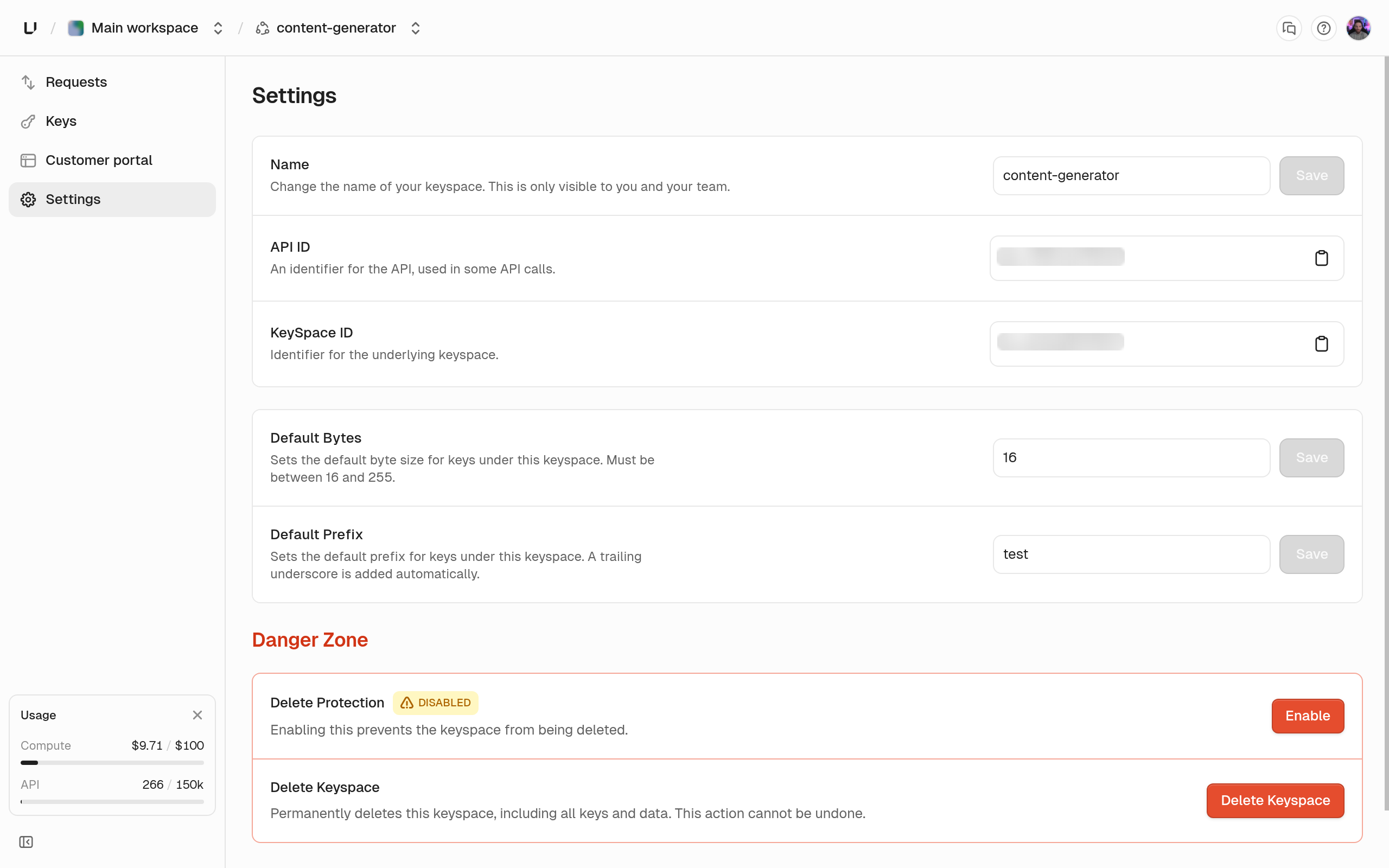
Name and identifiers
string
required
The label shown in the dashboard. You can change it any time.
string
Read-only,
api_.... Pass it as apiId when creating or listing keys.string
Read-only,
ks_.... Used by analytics (key_space_id) and the customer portal.Key generation defaults
These apply when akeys.createKey request leaves out prefix or byteLength.
string
default:"none"
Up to 16 characters. New keys without their own
prefix look like <prefix>_<random>. Rerolling a key with no prefix also uses it.integer
default:"16"
Random bytes in a new key when the request leaves out
byteLength. The API accepts 16 to 255. Rerolled keys always use this value (or 16 if unset), not the original key’s length.Store encrypted keys
boolean
default:"false"
When on, you can create recoverable keys and read them back with
decrypt: true. When off, keys.createKey with recoverable: true fails with HTTP 412 “This API does not support key encryption.” There’s no dashboard toggle. Contact support to turn it on. See Recoverable keys.IP allow list
string
default:"none"
A comma-separated list of IP addresses, up to 512 characters. When set, a verification of any key in this keyspace fails with
code: FORBIDDEN unless it comes from an IP on the list.10.0.0.0/8 don’t work. A request with no client IP is also rejected with FORBIDDEN.
New keyspaces have no allow list. Contact support to set or change one. You can’t see the list in the dashboard or the API, so if verifications return FORBIDDEN and you don’t know why, ask support whether an allow list is set.
Delete protection
boolean
default:"false"
When on, Delete Keyspace in the dashboard and
apis.deleteApi both fail with HTTP 412 err:unkey:application:protected_resource. Switch it on the Delete Protection card and type the keyspace name to confirm. The change shows in the audit log as api.update.Delete keyspace
The Delete Keyspace card in the danger zone deletes the keyspace after you type its name and the confirmation word. Every key in it then verifies asNOT_FOUND. You can’t undo this from the dashboard.