

Plans
Every workspace starts on the Free plan. Paid plans raise the request quota and unlock longer log retention and team members.
See Limits for retention periods and other plan limits. For quotas beyond the listed plans, contact support@unkey.com.
What counts as a request
A request is a valid key verification or a rate limit check. Failed verifications, such as a key that doesn’t exist, don’t count. Management API calls, such as creating a key, don’t count either. The count resets on the first of each calendar month. The billing page and the sidebar show it as a percentage of your quota.Over the quota
Requests are never blocked. When your workspace reaches its quota, Unkey emails the workspace admins and asks you to upgrade. If usage stays over the quota, the reminder repeats about once a week.Choose or change a plan
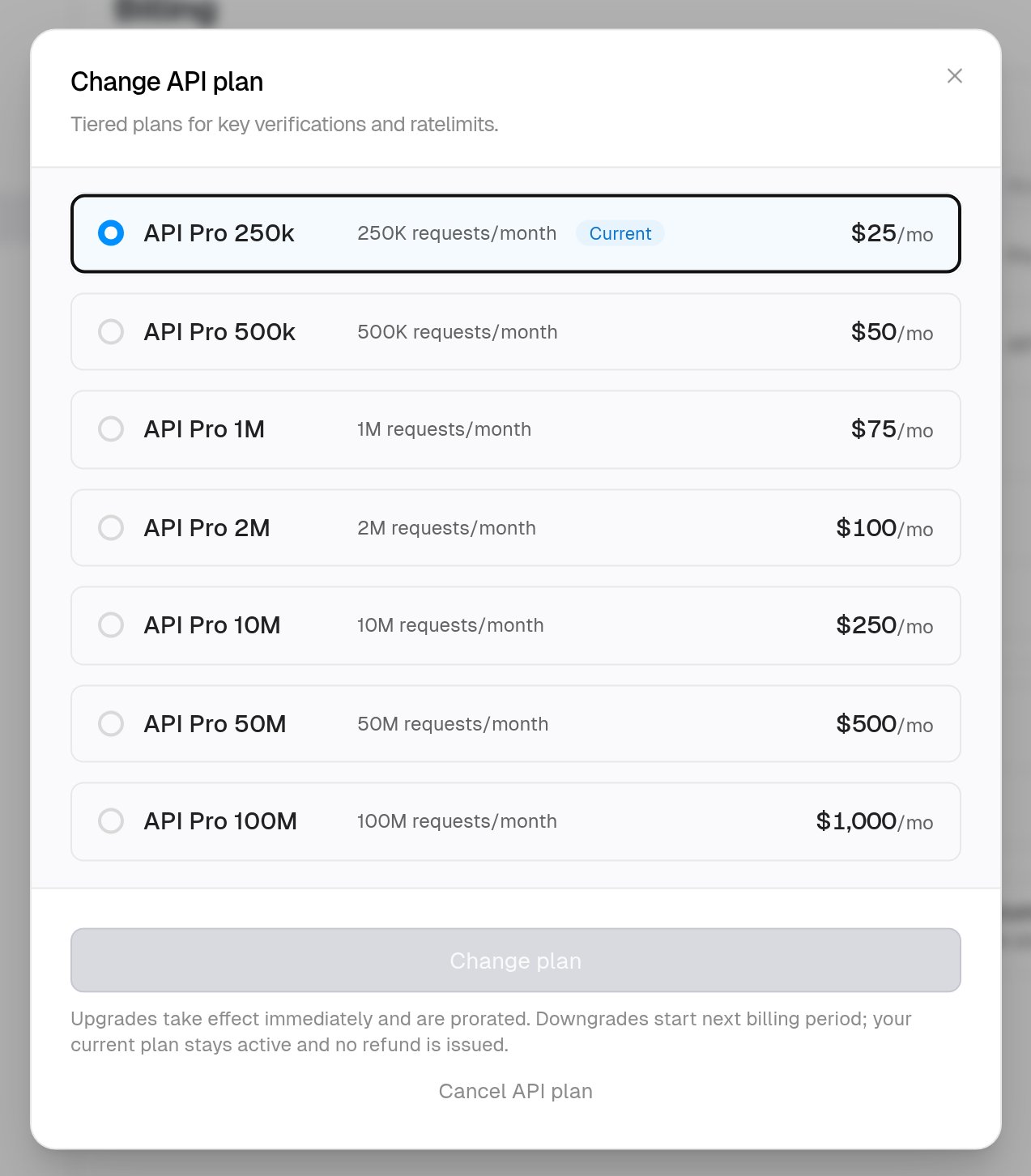
Upgrades apply at once. Downgrades wait for the next billing period.- Navigate to Settings > Billing.
- On the API management row, click Upgrade or Change.
- Select a plan and confirm.
Cancel
Cancelling returns the workspace to the Free plan at the end of the current billing period.- Navigate to Settings > Billing.
- On the API management row, click Change, then Cancel API plan and confirm.