

workspace.getLimits with a root key that has unkey:v1:{workspace_id}:limits#read.
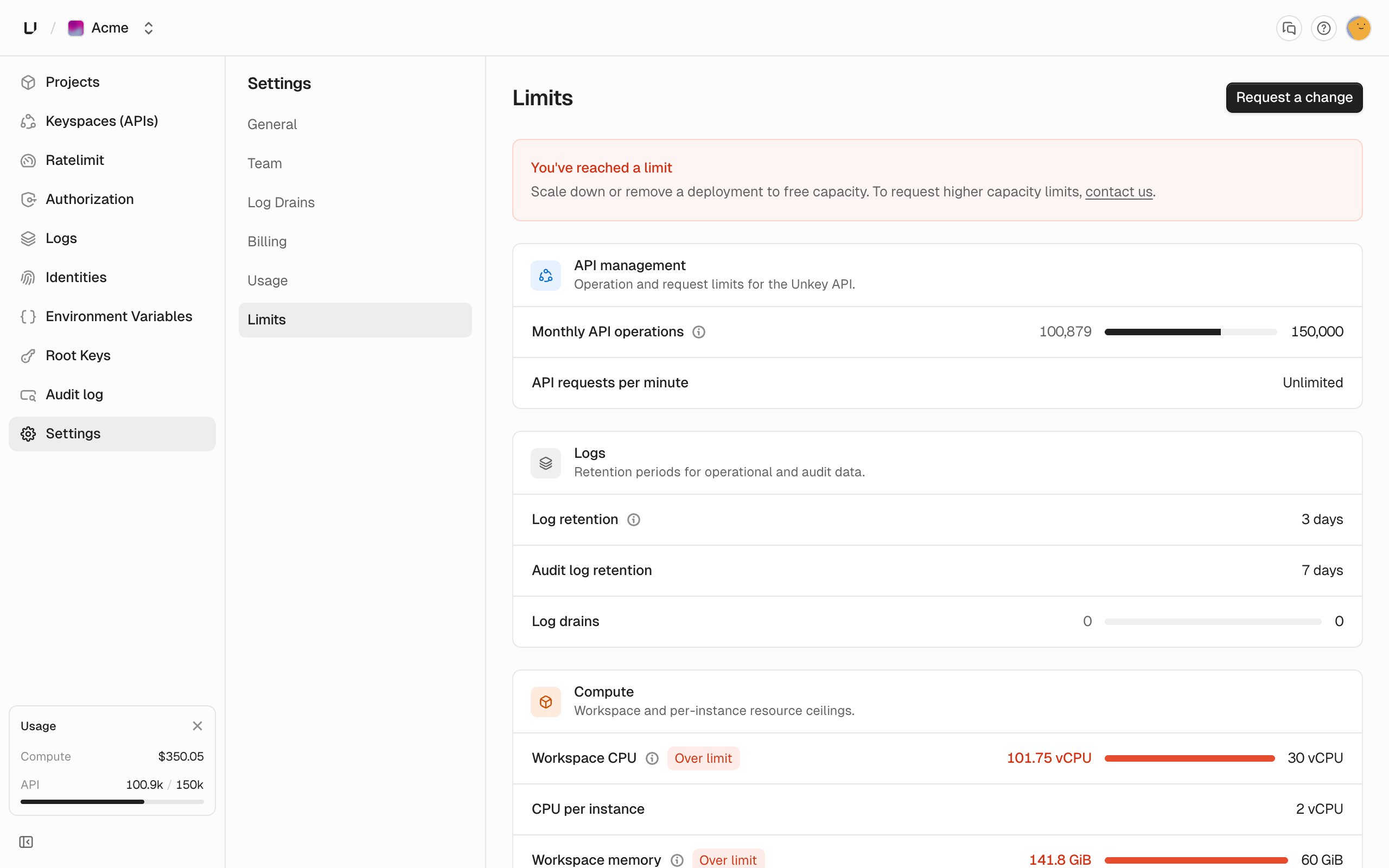
Limits per plan
Without a Compute plan you can’t deploy. See Compute plans. “Unlimited” custom domains has a very high cap to stop abuse. Need a higher limit on your plan? Ask support@unkey.com.
Saving a size over your plan’s limit
CPU, memory, and disk in runtime settings are checked when you save them. Go over and you get400 with a message like “Memory per instance cannot exceed 2048 MiB. Contact support@unkey.com to increase it.” The dashboard only offers sizes your plan allows, so you’ll only see this error from the API or CLI.
A deployment fails with a quota error
Workspace CPU, memory, and disk are checked when a deployment startsdeploying, because they depend on what’s already running. We add up what all your running instances use, plus this deployment’s CPU, memory, and disk at its maximum replicas in each region. If the total is over a limit, the deployment fails with cpu_quota_exceeded, memory_quota_exceeded, or storage_quota_exceeded and the message “We are unable to deploy this application as you have exceeded your CPU quota” (or Memory, or Storage).
Because the check uses maximum replicas, an environment with a wide autoscaling range counts at its maximum even while it runs at the minimum.
To make room, lower an ’s maximum replicas or stop preview deployments. Replaced production deployments also stop on their own after 30 minutes, and idle previews after an hour.
Replicas per region
Each region’smax replicas can’t go above your plan’s limit, and min is at least 1. Go over and you get 400 with, on Starter, “Region ‘x’ replicas must be between 1 and 4.” On every plan, all regions in an environment must use the same bounds, and an environment can have at most 5 regions.
Deployments wait their turn
Every plan runs one deployment at a time per workspace. Others wait inpending for up to an hour, production ahead of preview, and fail if their turn doesn’t come. See Builds.
Custom domain limit reached
Adding a domain over your limit fails witherr:unkey:limits:custom_domain_limit_exceeded. The dashboard shows “Custom domain limit reached” with links to your limits and to upgrade. Removing a domain frees up room.
Log query range
The log query range limits how far back an analytics API query can reach. It’s separate from how long we keep the data, and you can read whichever is shorter:- Request log rows are stored for 7 days, so a Business workspace reads at most 7 days of them even though its query range allows 14.
- Runtime logs are stored for about 90 days, so a Starter workspace reads at most 3 days of them even though the rows exist for far longer.
err:user:bad_request:query_range_exceeds_retention instead of returning partial results. This only applies to the analytics API, not the dashboard’s log views. See Observability for how long data is kept.